
Bloatware: The Unwanted Guest In Your Business
Updated: Mar 11
Author: D.O. Lawal, PhD, CISSP
Imagine you’ve just moved into a brand-new office. The space is perfect, but when you walk in, you find random furniture, old files, and unnecessary decorations left behind by the previous tenants. You didn’t ask for them, they take up space, and some might even be a security risk.
This is exactly what happens when your business devices come with bloatware—pre-installed or unwanted software that clutters your computers and phones.
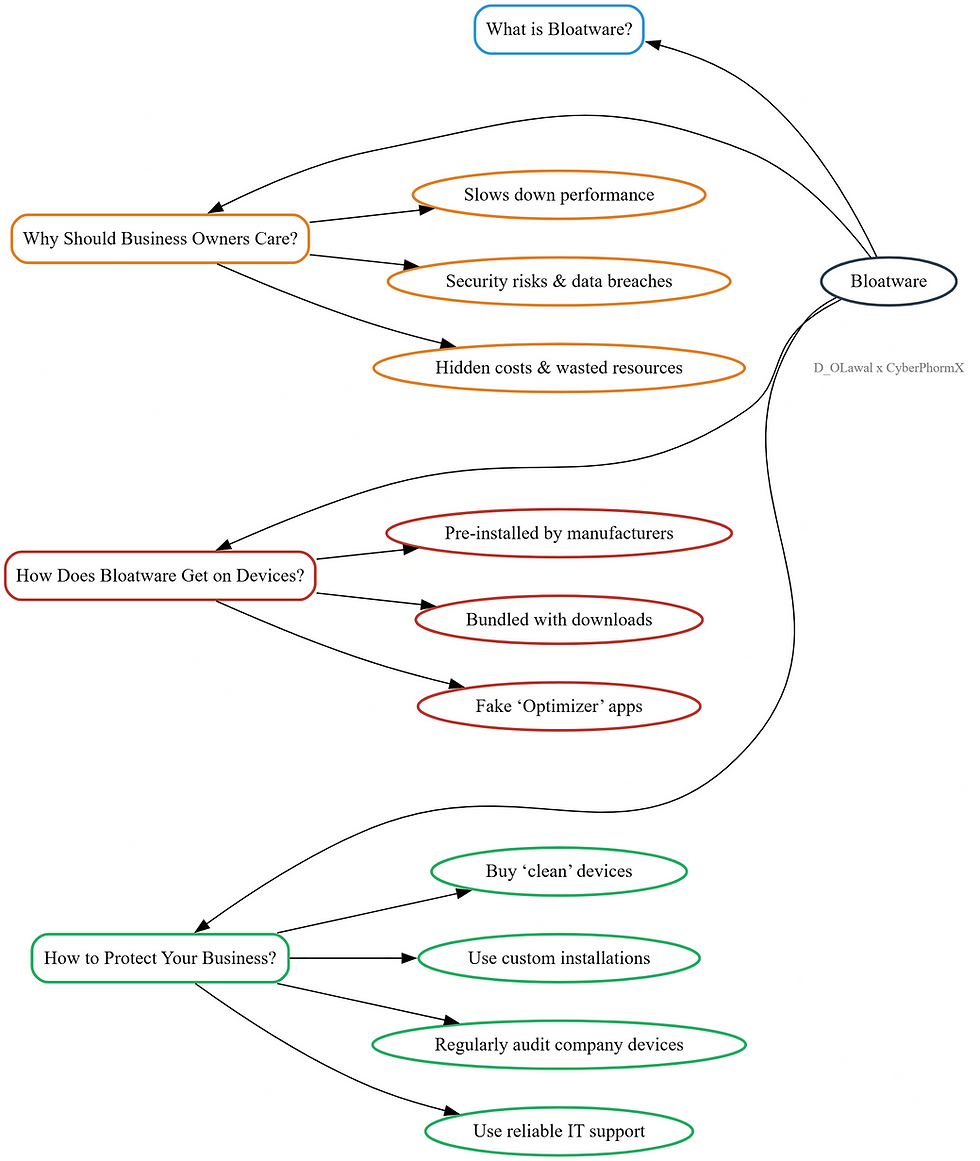
What is Bloatware?
Bloatware refers to unnecessary applications that come pre-installed on devices or get accidentally installed when downloading other software. These apps take up space, slow down performance, and can even pose security risks.
Why Should Business Owners Care?
As a business owner, your focus is on efficiency, security, and productivity. Bloatware can negatively impact all three.
1️⃣ Slower Performance = Lost Productivity
Just like an overstuffed filing cabinet slows down your workflow, too much bloatware can make computers sluggish. Employees waiting for slow computers means wasted time—and wasted money.
2️⃣ Security Risks = Potential Data Breaches
Some bloatware contains vulnerabilities that hackers can exploit, putting sensitive business data at risk. If customer or financial information is compromised, the consequences can be severe.
3️⃣ Hidden Costs = Unnecessary Expenses
Some bloatware runs in the background, consuming internet bandwidth and battery life, while others push premium upgrades that businesses may unknowingly pay for.
How Does Bloatware Get on Your Devices?
🔹 Pre-installed by Manufacturers – Many computers, smartphones, and even office printers come with software you don’t need.
🔹 Bundled with Other Downloads – When installing software, extra programs sneak in if you don’t carefully read the installation steps.
🔹 Fake “Optimiser” Apps – Some software claims to speed up your device but does the opposite.
How to Protect Your Business from Bloatware
✅ Buy “Clean” Devices – Purchase business-grade hardware or request bloatware-free setups from suppliers.
✅ Use Custom Installations – When installing software, always choose “Custom” or “Advanced” to uncheck unwanted extras.
✅ Regularly Audit Your Devices – Review installed apps on company devices and remove anything unnecessary.
✅ Use Reliable IT Support – Have an IT team or consultant ensure your systems stay efficiently lean and secure.
Bloatware might seem harmless, but in a business setting, it can cost time, money, and security. Keeping your devices free from unnecessary software ensures your team works efficiently, your data stays safe, and your tech investments deliver real value.
💡 Tip: If your devices feel slow, check for possible bloatware today—you might be surprised at what’s running in the background!
Need help auditing your technical environment?
Book a free 30-min consultation today. Book here now.


Interesting read. Love it!